


1. Understanding Azure App Service Domain
Azure App Service Domain is a service provided by Microsoft Azure that simplifies the management of custom domains for your Azure App Service applications. It allows you to easily associate custom domain names with your web apps, APIs, or other services hosted on Azure. App Service Domain allows you to purchase and manage custom domains from Azure, simplifying the process of creating and maintaining your domain.
2. Creating an App Service Domain
To set up a custom domain using Azure App Service Domain, follow these steps:
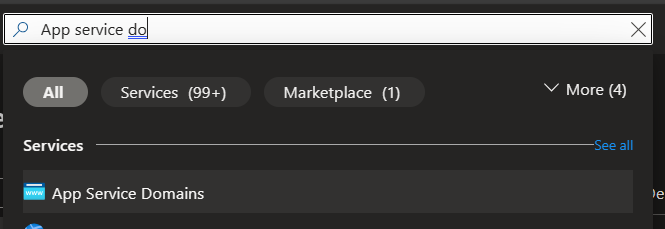
In the Azure portal, search for 'App Service Domain'. Click on the 'App Service Domains' search result.
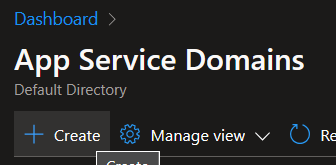
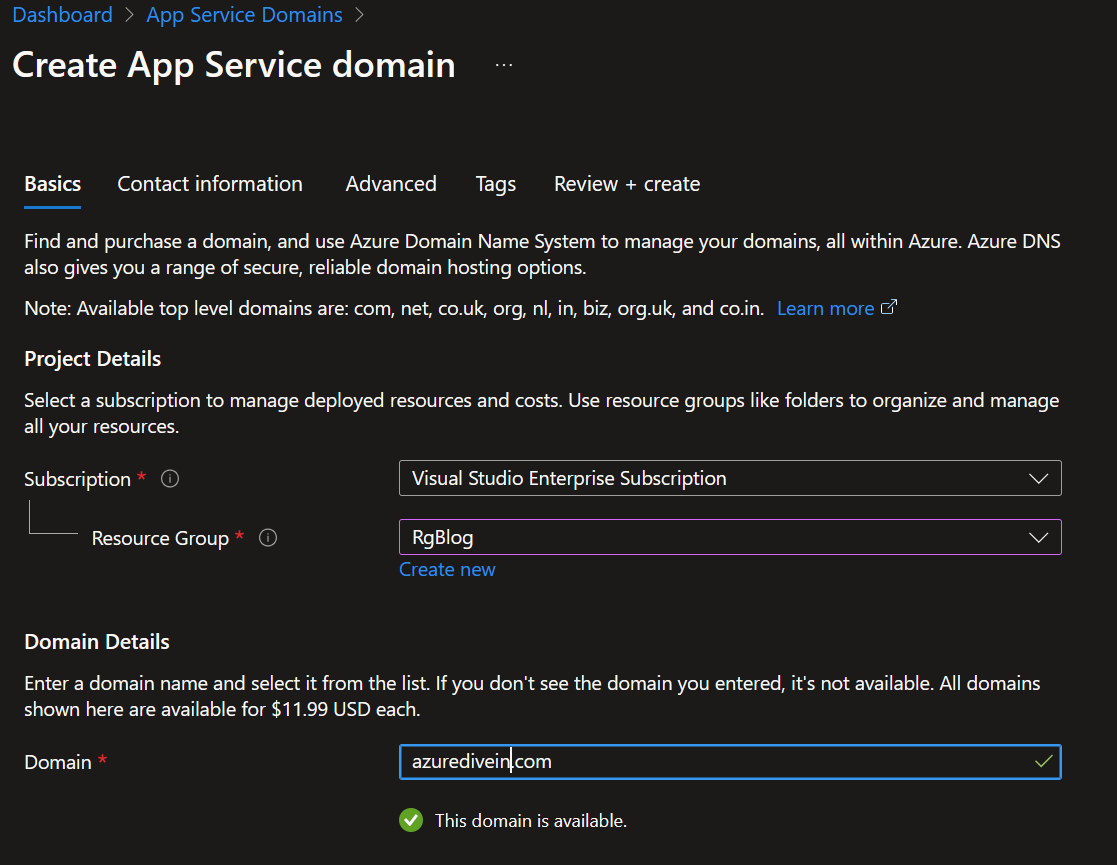
Domain: Enter the desired domain name (e.g., azuredivein.com). If unavailable, choose from the suggested available domains.
To register a domain name, you need to provide correct contact information as ICANN requires. You can also protect your personal information with the privacy feature in the following step.

Advanced Configurations:
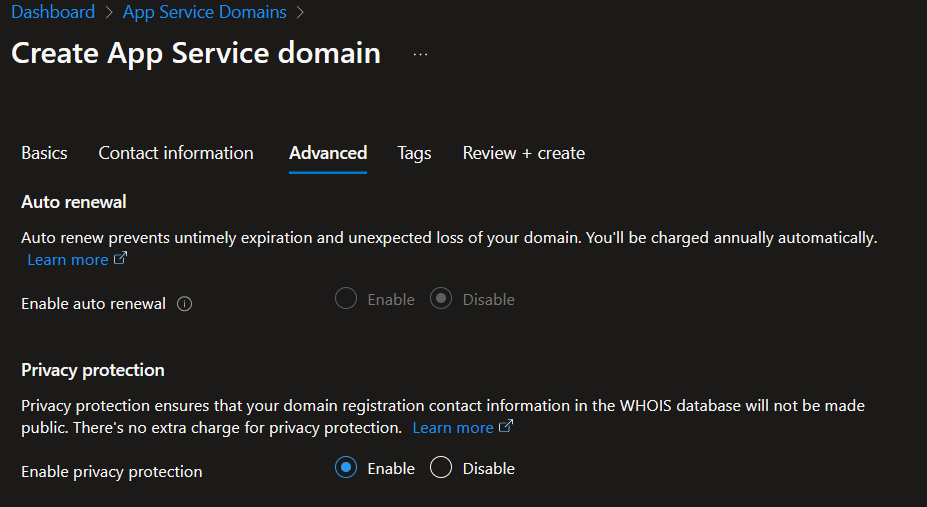
You can customize your domain registration with optional settings, such as privacy protection and auto-renewal. Privacy protection helps you hide your personal information from WHOIS lookup, while auto-renewal ensures that your domain does not expire. By default, auto-renewal is turned off for non-enterprise customers. However, there is no need to worry, as we can activate the domain auto-renewal feature once the resource is created.
Before you finish, check all the details under 'Review + create' and then click 'Create' to set up the App Service Domain resource.
This will create an App Service Domain and also an Azure DNS Zone resource.
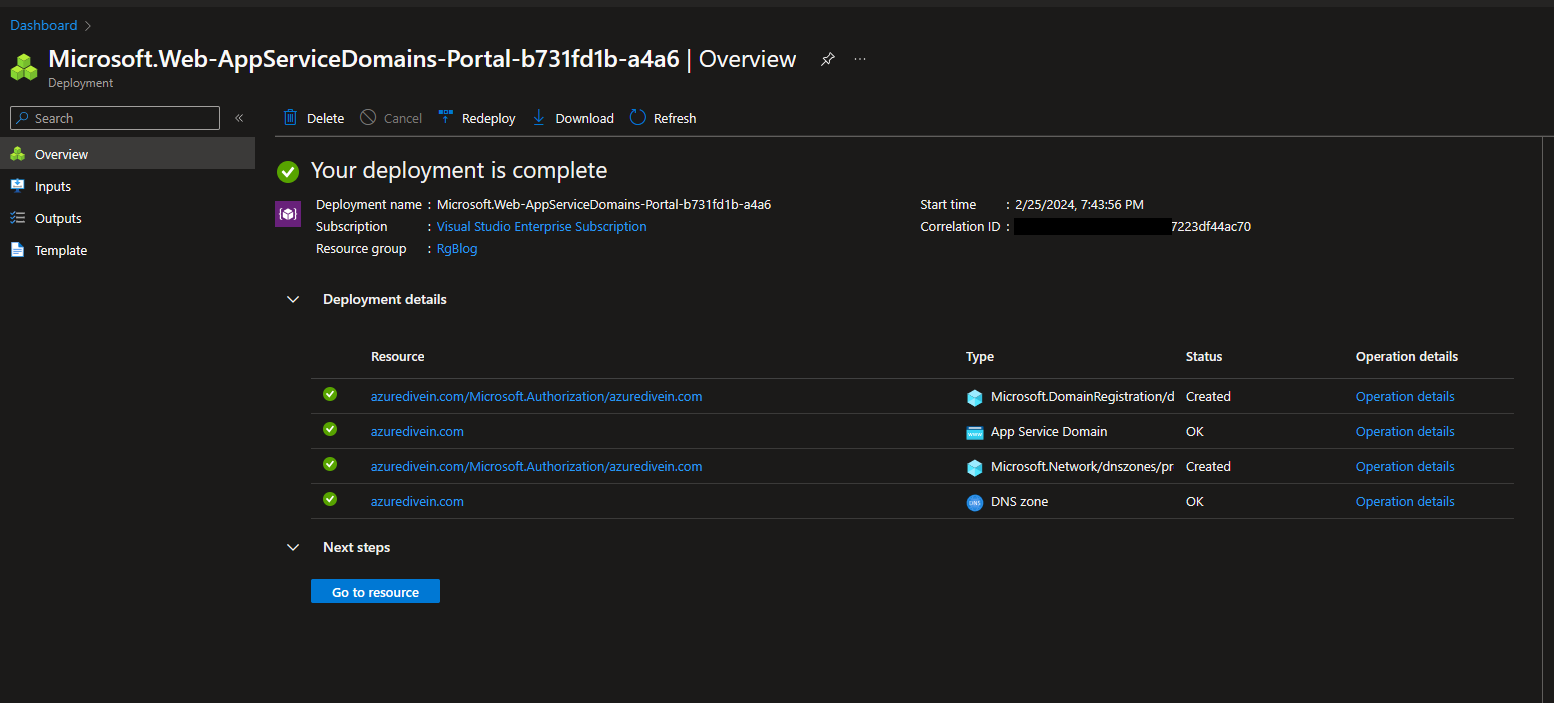
3. Understanding Azure DNS Zone
Azure DNS Zone is a service that integrates with Azure App Service Domain. It allows you to manage DNS records for your custom domains. Here’s what you need to know:
A DNS zone hosts the DNS records for a specific domain. When you create an App Service Domain, it automatically creates a DNS zone for that domain. Each DNS record (e.g., www.azuredivein.com, files.azuredivein.com) resides within this zone.
4. Updating Custom Domain in Blogger
This blog post will show you how to set up a custom domain for your Blogger website. You may have a different blogging platform for your website, but the basic steps are similar for all websites. The main thing you need to do is to create CNAME or other records to prove that you are the owner of the domain.
Log in to your Blogger account.
Go to Settings > Basic.
Under the “Publishing” section, click on 'Custom Domain'.
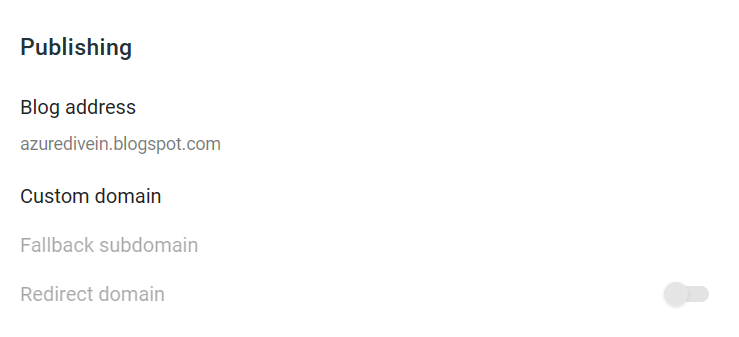
Enter your custom domain (e.g., www.azuredivein.com) and click Save.
To verify your ownership of the domain, Blogger will give you CNAME records that you need to add to your DNS zone. These records have values that are specific to your blog and enable Blogger to confirm that you own the domain.
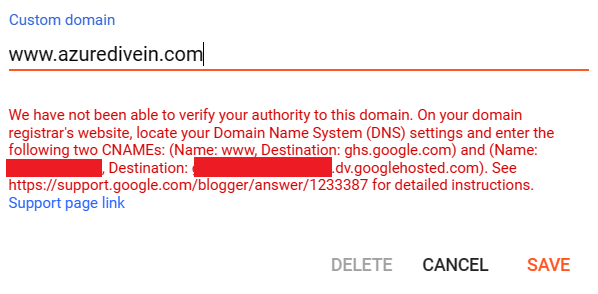
5. Adding CNAME Records in Azure DNS Zone
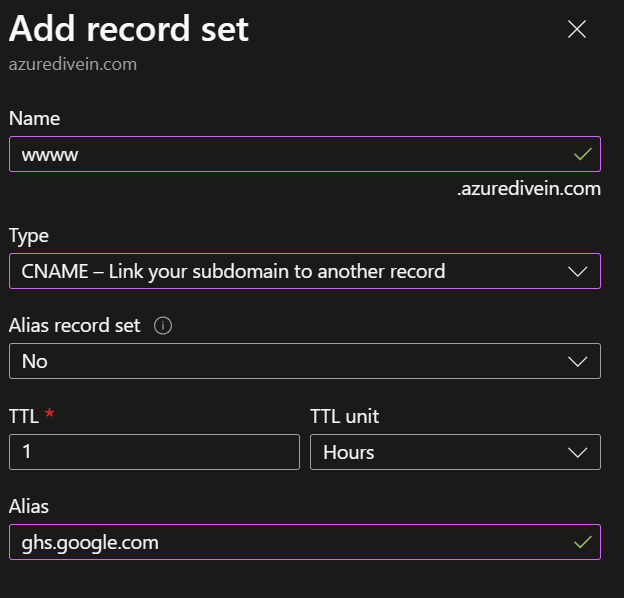
In the Azure portal, navigate to your DNS zone. Click on '+ Record Set' to create a new CNAME record.
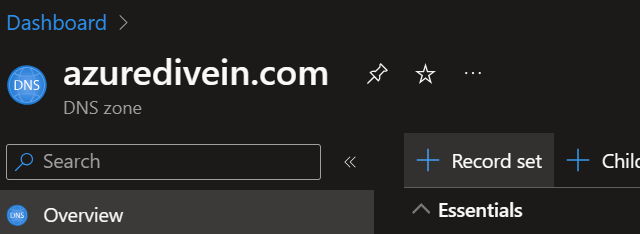
To create a new CNAME record, follow these steps:
- Name: Specify the subdomain (for example, www).
- Type: Select CNAME.
- TTL (Time to Live): Choose a suitable value.
- Value: Type the CNAME target given by Blogger.
- Save the record.
Repeat the same steps for the other CNAME values that Blogger provides.
You should have 2 CNAME records created in your Azure DNS Zone as shown below:

Your custom domain will be connected to your Blogger blog after DNS propagation is complete (which usually takes up to 24 hours). Don't forget to renew your App Service Domain and update your DNS records as required.
The aim of this blog was to explain how to use Azure App Service Domains. I noticed that most of the articles and the official documentation I found only mention using App Service Domain with an Azure App Service. But you can use App Service Domain without an App Service as well.
This has some advantages, such as managing the billing through your Azure subscription and getting free privacy protection for your personal data. Another benefit of using Azure DNS Zone is that it runs on a global network of DNS name servers, which guarantees high speed and reliability.
Thank you for taking the time to read our blog post. Your engagement means the world to us! We're just getting started on our Azure journey. In our upcoming posts, we'll dive deeper into the vast ocean of Azure's capabilities, uncovering more treasures that can enhance your cloud experience. Keep an eye out for our next dive in!
